
Samsung released two new sound-related apps this year. One is Hearapy, and the other, which is the focus of today's overview, is called Samsung Sound.
Samsung Sound went live on Google Play in February and is described as “the official app for setting up and controlling Samsung Wi-Fi speakers and soundbars.”
Is it any good? We're here to find out, but here are a few key points to set the tone.
- Samsung Sound is functionally almost identical to the soundbar manager inside SmartThings. Almost.
- It comes with a completely new UI.
- It lacks a few features found in SmartThings.
- You can use either app, or both, independently. Adding/removing a sound device to/from one app won't affect the other.
- The app lets you turn your soundbar ON remotely, but not OFF.
- A bug seems to prevent device pairing in Samsung Sound in some cases. We found a workaround.
Browse the latest soundbar and speaker deals
Samsung Sound UI design overview
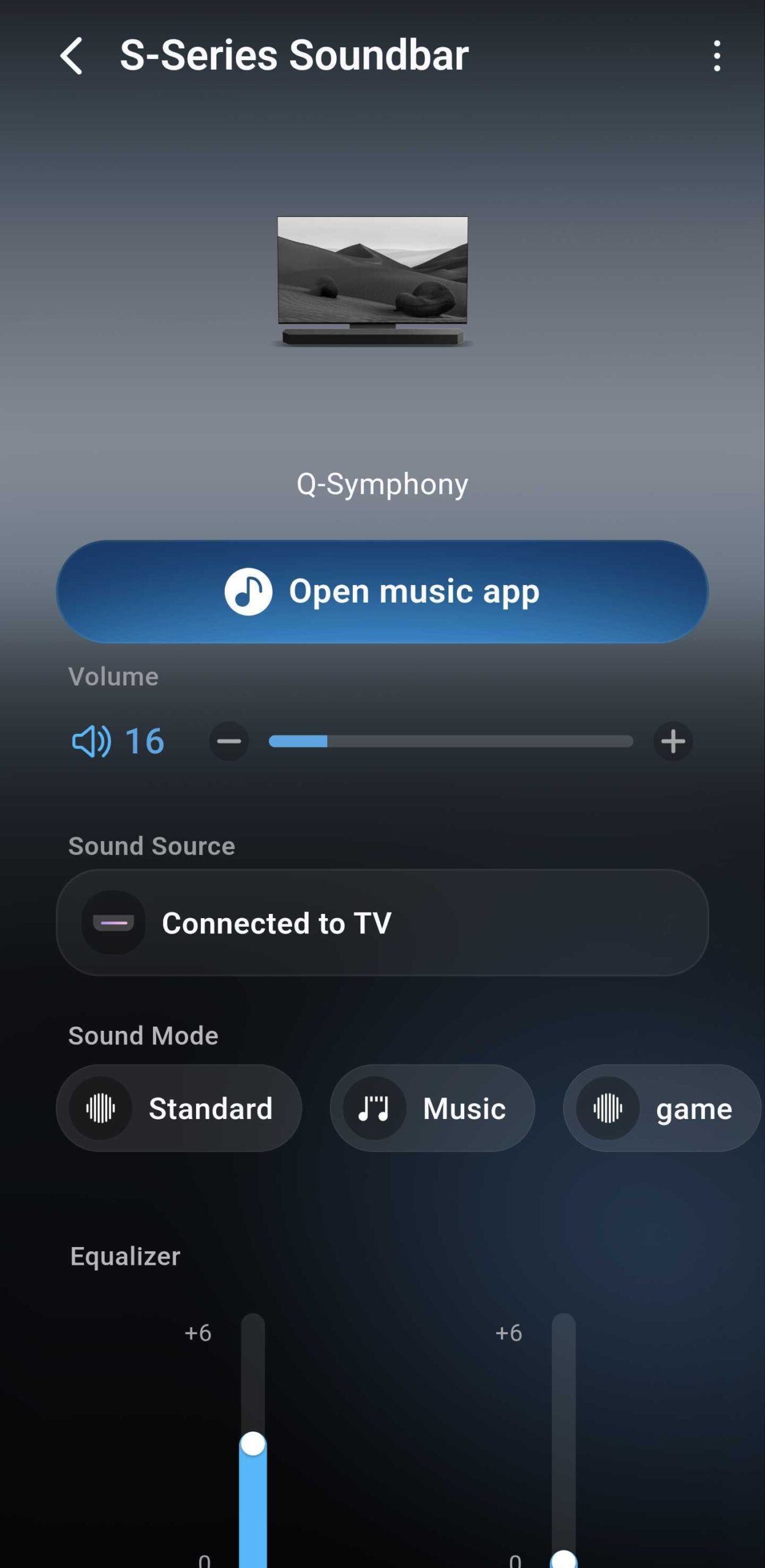
The most striking aspect of Samsung Sound is its UI. It looks modern, with soft gradients and subtle translucent effects. But does it match One UI 8? Surprisingly, not really.
The app follows its own design language and barely resembles Samsung’s other apps. It doesn’t look bad, and it does have a cleaner aesthetic than SmartThings, but it’s not what you’d expect.
Samsung Sound feels disconnected from apps like Samsung Music, Wear and others. It's not necessarily an issue, but it's worth pointing out, considering Samsung's recent efforts to homogenize One UI.
Here's a quick overview of what it looks like compared to SmartThings.


Samsung Sound vs SmartThings: What’s new and what’s missing?
In terms of functionality, Samsung Sound almost mirrors the SmartThings soundbar manager. Most features are here, but not all.
Missing options include:
- IP control
- Auto Power Off
- A shortcut to Tap Sound
- A way to turn the soundbar OFF from the app, which is very unusual. See the screenshots below, where the power button disappears once the soundbar is ON.


Everything else seems intact. You still get quick access to features like Sound Mode, Sound Source, Equalizer, Audio Sync, Advanced Sound Settings, Channel Level, Voice Guide, Google Cast, and more.
You can also check network status and toggle automatic firmware updates ON or OFF.
One odd addition is the “Open music app†button placed front and center. It simply launches Apple Music, Spotify, or YouTube Music if installed, or redirects you to their Google Play pages.


This pop-up menu can't be customized. You can't add or remove music apps you might prefer using instead of those listed by default.
That’s all it does. It doesn’t link your soundbar to those apps, and it doesn’t even include Samsung Music as an option. What an odd omission. For something so prominent, the purpose of this button feels oddly limited.
Samsung Sound vs SmartThings: How it works, and when it doesn’t
Samsung Sound and SmartThings operate independently. You can use either app or both to manage your sound system. Adding or removing a soundbar in one app doesn’t affect the other.
Thankfully, this makes Samsung Sound more of an alternative than a replacement. And the setup process itself, when it works, is as seamless as it is in SmartThings.


However, it’s not without issues. We mentioned “when it works” for a reason. We ran into a bug that virtually rendered the app useless. But it won't affect everyone, and we also found a workaround that worked for us at least.
The issue? None of us at SamMobile could add our soundbars to Samsung Sound at first. QR codes didn’t work, and neither did manual setup.
The common factor was that our soundbars were already connected to SmartThings before Samsung Sound launched.
For us, the fix was simple, if a little annoying. Removing the soundbar from SmartThings allowed Samsung Sound to detect and add it properly. After that, the device could be added back to either app in any order without hiccups.
Whether or not Samsung is aware of this issue is unknown. But if you have trouble using Samsung Sound, try removing your soundbar from SmartThings first. That might do the trick.
Samsung Sound app overview: Conclusion
Is Samsung Sound worth using if you already rely on SmartThings? It depends.
If you are a Samsung fan, the new UI alone makes it worth trying the app. Plus, the Sound app may feel faster and more convenient than SmartThings if you manage more than one Samsung audio device. But in some areas, the UI seems incomplete or half-baked.
And if you rely on features like Tap Sound, want to turn the soundbar remotely ON and OFF, or need settings like Auto Power Off and IP control, SmartThings is still necessary. In such cases, you'll end up adding your sound system to both apps even if you prefer the Samsung Sound design over SmartThings.


There’s also the pairing bug to consider, but the workaround we found is simple. Still, there is some unnecessary friction there, and some features are still missing. We suspect Samsung will improve the Sound app with future updates.
For now, Samsung Sound seems like an interesting new app that could become a whole lot better, but it can't fully replace the SmartThings sound device manager.
If you want to give it a shot, it's easy. You can download Samsung Sound from Google Play. It’s not on the Galaxy Store yet. And if you end up disliking the app, uninstalling it won’t affect your current SmartThings setup, which is great.


Post a Comment